
10 Best Free Project Management Tools in 2027 (Real Limits Compared)


Most teams do not need to pay for project management on day one. A small agency, a student group or a startup with four people can run real work with free project management tools, as long as they know where that plan stops. The trouble is that every vendor writes “free forever” in big letters and the limits in small ones.
This guide compares the 10 best free project management tools we could find, using each vendor’s own pricing and help pages. For every tool you will see who it suits, what the free plan really includes and the point where you will probably need to upgrade.
If you are still deciding whether you need a dedicated tool at all, our plain guide on what project management is is a good place to start.

What Are the Best Free Project Management Tools at a Glance?
Here is the short version of how these free project management tools compare. The details for each tool follow below.
| Tool | Best for | Free plan users | Key free limit |
|---|---|---|---|
| ClickUp | Teams that want many features for free | Unlimited members | 60 MB of total storage |
| Trello | Simple Kanban boards | Up to 10 collaborators per Workspace | Boards turn view-only above the limit |
| Asana | Solo work and two-person projects | Up to 2 people per project or team | No timeline view or automation rules |
| Jira | Software and product teams | Up to 10 users | 2 GB storage, community support only |
| Notion | Docs, wikis and light task tracking | Free workspace, up to 10 guests | 5 MB file uploads, 7-day page history |
| monday.com | Trying a visual work board | Up to 2 seats | 3 boards and 3 docs |
| Zoho Projects | Small teams that want classic project features | Up to 5 users | A few projects and 5 GB storage |
| Wrike | Board and table task tracking | Free plan available | Gantt charts and dashboards are paid |
| Airtable | Database-style project tracking | All users are free | Record and attachment caps per base |
| OpenProject | Self-hosted, open source teams | No seat cost | You host and maintain it yourself |
Free project management tools change their plans often, so always check the vendor’s pricing page before you move your team over. We have linked each one below.
How Did We Choose These Free Project Management Tools?
We looked at a simple question for each of these free project management tools: can a small team run a real project on the free plan without hitting a wall in the first week?
To answer that, we checked five things:
- Free plan limits, taken from the vendor’s own pricing or help pages, not from reviews.
- Users allowed, because a free plan for one person is very different from one for ten.
- Views included, such as list, board, calendar and timeline.
- Upgrade pressure, meaning how soon the tool pushes you to pay.
- Ease of setup, because a tool nobody opens is not really free; it costs you time.
We left out products that only offer a free trial, because a trial does not belong on a list of free project management tools. A 14-day trial is useful for testing, but it is not a free plan.
Which Free Project Management Tools Are Worth Using in 2027?
1. ClickUp: Is It the Most Generous Free Plan?
ClickUp gives more away for free than almost any of the other free project management tools on this list. The Free Forever plan allows unlimited members and unlimited tasks, and you get list, board and calendar views without paying.
The catch is storage. According to ClickUp’s own help centre, the free plan includes only 60 MB of Workspace storage. That disappears quickly once people start attaching screenshots and PDFs.
- Best for: small teams that want tasks, docs and simple goals in one place.
- Watch out for: the storage cap and a busy interface that can feel heavy for new users.
2. Trello: Is It Still the Easiest Free Kanban Board?
Trello is the tool most people picture when they hear “Kanban”. You make a board, add lists such as To Do, Doing and Done, and drag cards between them. Almost anyone can learn it in ten minutes, which is why it remains one of the most popular free project management tools.
Atlassian’s support page explains that free Workspaces are limited to 10 collaborators, and that count includes members, guests and pending invites. If a free Workspace goes over the limit, its boards become view-only and automations stop.
- Best for: personal planning, content calendars and small teams with a simple workflow.
- Watch out for: the 10-person cap and the lack of timeline views on the free plan.
3. Asana: Is the Free Plan Good Enough for Teams?
Asana is polished and easy to like, but its free plan has become much more limited. The current Personal plan, as described in Asana’s help centre, allows up to two people per project or team. You still get unlimited tasks and projects, plus list, board and calendar views.
Timeline view, automation rules, forms, custom fields and dependencies all need a paid plan. That makes Asana a strong free choice for solo work or a two-person side project, and a weaker one for a growing team.
- Best for: freelancers, solo founders and pairs who want a clean task list.
- Watch out for: the two-person limit, which is tighter than the older free plan.
4. Jira: Is the Free Plan Right for Software Teams?
Jira is built for teams that ship software. Sprints, backlogs, bug tracking and Scrum or Kanban boards are all included. Atlassian’s plan comparison lists up to 10 users, 2 GB of file storage and community support on the free plan, along with a small allowance for automation.
For a startup with a few developers, Jira is one of the most valuable free project management tools available. For a marketing or operations team, Jira can feel like too much tool for the job.
- Best for: developers, product managers and agile teams of up to ten people.
- Watch out for: a learning curve for non-technical users.
5. Notion: Can a Docs Tool Work as Free Project Management Software?
Notion is not a classic project manager, but many teams use it as one. You can build a task database, switch it to a board or calendar view and keep meeting notes and wikis right next to the work. This flexibility makes Notion a popular piece of free project management software for small content and startup teams.
The Notion pricing page lists 5 MB file uploads, up to 10 guests and 7 days of page history on the free plan. Block storage is also limited for shared workspaces, so a busy team will reach the edge sooner than a single person.
- Best for: teams that want notes, docs and tasks in one place.
- Watch out for: you build the system yourself, which takes time to get right.
6. monday.com: Is the Free Plan Only a Trial in Disguise?
monday.com has one of the best-looking interfaces in project management, with colourful boards, templates and status columns. The monday.com pricing page shows that the free plan covers up to 2 seats, 3 boards and 3 docs, with access to more than 200 templates.
Compared with other free project management tools, that is enough to try the product properly, but not enough to run a team on. Most people use the free plan to test monday.com and then decide whether the paid Basic or Standard plans are worth it.
- Best for: testing monday.com before you buy, or very light personal use.
- Watch out for: the two-seat limit and the small number of boards.
7. Zoho Projects: Is It the Best Free Choice for Classic Project Planning?
Zoho Projects feels closer to traditional project management than most tools here. You get tasks, milestones and a familiar project structure. The Zoho Projects pricing page lists the free plan with up to 5 users, a small number of projects and 5 GB of storage.
Among free project management tools, it is a good fit if you already use other Zoho apps, such as Zoho CRM or Zoho Mail, because the products connect easily.
- Best for: small teams that want structured projects and already use Zoho.
- Watch out for: the project cap, which suits one or two projects at a time.
8. Wrike: Is the Free Plan Enough for Task Tracking?
Wrike is a powerful tool built for larger teams, but it also offers a free plan for essential task management. The Wrike pricing page shows that the free plan includes Board (Kanban) and Table views, web, desktop and mobile apps, and the basics of planning tasks and attaching files.
Gantt charts and shareable dashboards are reserved for paid plans. If you need free Gantt chart software, look at OpenProject or Zoho Projects instead.
- Best for: teams that may grow into a more advanced tool later.
- Watch out for: many of the features Wrike is known for are not in the free plan.
9. Airtable: Can a Spreadsheet-Style Tool Run Your Projects?
Airtable is one of the more unusual free project management tools, because it looks like a spreadsheet but works like a database. You can track tasks, owners, dates and statuses in a grid, then switch to Kanban, calendar or gallery views. The Airtable pricing page says the free plan is meant for individuals and very small teams, and all users on it are free.
The free plan has caps on records, attachments and automation runs per base. Once you hit those caps, your data stays, but you cannot add more until you upgrade.
- Best for: content trackers, event planning and anyone who thinks in rows and columns.
- Watch out for: record limits on bigger projects.
10. OpenProject: Is Open Source Project Management Software Really Free?
OpenProject is open source project management software that you install on your own server. The OpenProject Community edition includes Gantt charts, task dependencies, agile boards and time tracking, without a per-seat price.
The real cost is hosting and maintenance. Someone on your team needs to set up the server, keep it updated and handle backups. For a technical team that wants full control over its data, that is a fair trade.
- Best for: teams with technical skills or strict data ownership needs.
- Watch out for: you are responsible for security updates and uptime.
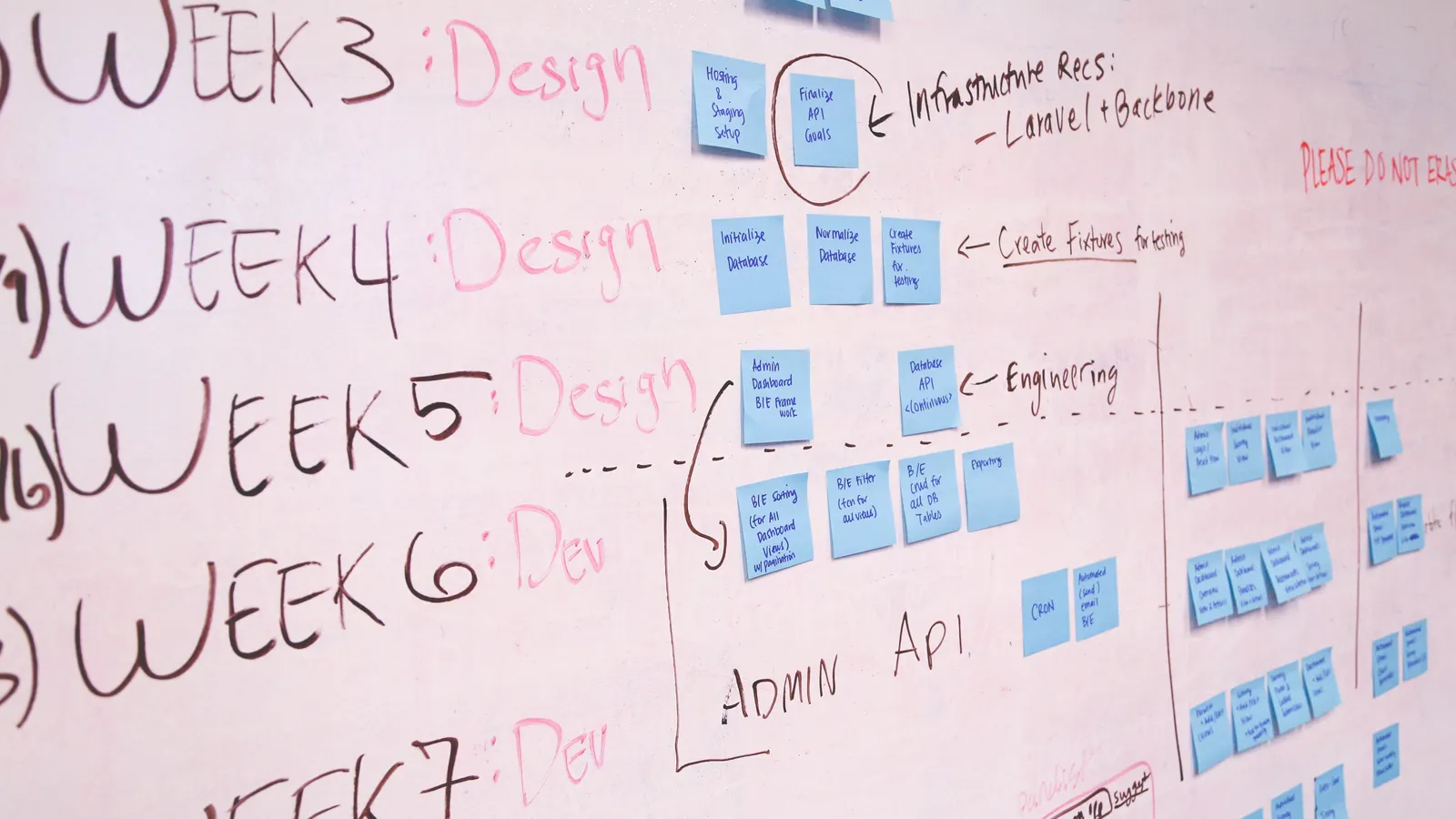
What Do You Lose With Free Project Management Software?
Free plans are designed to be useful, but also to show you what you are missing. Across all the free project management tools above, the same features tend to sit behind the paywall.
- Timeline and Gantt views. Most tools keep these for paid plans. OpenProject is the main exception.
- Automation. Rules such as “move this task when the status changes” are limited or missing.
- Storage. Free plans often cap file storage, sometimes at a very small size.
- Reporting and dashboards. Workload charts and progress reports are usually paid.
- Admin controls. Permissions, guest controls and security settings are limited.
- Support. Free users normally rely on help articles and community forums.
None of this is a problem for a small project. It becomes a problem when several people depend on the tool every day. At that point, the time lost to workarounds usually costs more than a paid seat.
Which Free Tool Should You Pick for Your Situation?
The right choice among free project management tools depends on who will use them and what kind of work you do. This table is a quick shortcut.
| Your situation | Good free choice | Why |
|---|---|---|
| Freelancer or solo founder | Asana or Trello | Clean, simple and quick to learn |
| Small team of 3 to 10 people | ClickUp or Trello | Generous user limits on the free plan |
| Software or product team | Jira | Sprints, backlogs and bug tracking included |
| Content or marketing team | Notion or Airtable | Flexible databases, calendars and docs |
| Team that needs free Gantt charts | OpenProject or Zoho Projects | Timeline planning without a paid plan |
| Testing before you buy | monday.com or Wrike | Try the paid product in a limited form |
If you already know you will need paid features, our full comparison of the best project management software covers prices, pros and cons for the paid plans as well.
How Do You Set Up a Free Project Management Tool the Right Way?
Most teams fail with a new tool because of setup, not because of the tool. These steps work with any of the free project management tools on this list.
- Start with one real project. Do not move everything at once. Pick one active project and run it in the new tool for two weeks.
- Keep the workflow short. Three or four statuses, such as To Do, In Progress, Review and Done, are enough for most teams.
- Give every task an owner and a date. A task without an owner usually waits forever.
- Agree on one place for updates. If people still send updates by email, the board will be out of date within days.
- Check the limits in week one. Look at storage, member counts and board limits early, so the upgrade question does not surprise you later.
- Review after two weeks. Ask the team what is working and what feels like extra admin.
If repeating steps start eating your time, our guide to business process automation explains which tasks are worth automating first.

When Should You Upgrade From a Free Plan?
Free project management tools have done their job when they start slowing the team down. These are the clearest signs:
- You have reached the member or seat limit and people are sharing logins.
- Files are being stored elsewhere because the tool has run out of storage.
- You spend time every week moving tasks by hand that automation could move for you.
- Clients or managers ask for progress reports that you build manually in a spreadsheet.
- You need permissions, so that guests or clients cannot see everything.
When you reach that point, compare the paid plan against the hours your team spends on workarounds. In most cases, a small monthly fee is cheaper than lost time. To understand how per-seat pricing usually works, see our guide on what SaaS is and how it is priced.
It also helps to choose tools that work together. Many small businesses pair their project tool with a CRM so that sales and delivery stay connected. Semityn Journal has a clear guide to choosing CRM software for small business if that is your next step.
Are Free Project Management Tools Safe for Business Data?
The well-known free project management tools on this list are run by established companies and use standard security, such as encrypted connections and regular backups. Free plans usually share the same core security as paid plans.
What free project management tools often lack are the controls around that security: single sign-on, detailed permissions, audit logs and admin settings. If you handle client contracts, financial records or personal data, read the vendor’s security page and check where your data is stored. Teams with strict rules may prefer self-hosted open source project management software such as OpenProject, because the data stays on their own server.
The Project Management Institute is also a useful source if you want to understand the wider practice of managing projects, beyond any single tool.
Frequently Asked Questions About Free Project Management Tools
What is the best free project management tool?
For most small teams, ClickUp offers the most features on its free plan, with unlimited members. Trello is the easiest to learn. Jira is the best free option for software teams of up to ten people.
Are free project management tools really free forever?
Yes, the free project management tools on this list offer a permanent free plan, not just a trial. Each free plan has limits, such as the number of users, storage or boards, and vendors can change those limits over time.
Which free project management software has Gantt charts?
OpenProject includes Gantt charts in its free, self-hosted Community edition. Most other tools, including Wrike and Asana, keep timeline and Gantt views for paid plans.
What is the best free tool for a small team?
Of all the free project management tools, ClickUp and Trello suit small teams best. ClickUp allows unlimited members with limited storage, while Trello allows up to 10 collaborators per free Workspace.
Can I use Notion as a project management tool?
Yes. Notion lets you build a task database with board, list and calendar views, and many small teams use it for projects. You need to set up the structure yourself, and the free plan has file and history limits.
Is open source project management software better than cloud tools?
It depends on your team. Open source tools like OpenProject give you full control over your data and no seat cost, but you must host, update and back them up yourself. Cloud tools are easier to start with.
When should I move from a free plan to a paid plan?
Upgrade when the free limits slow your team down, for example when you reach the user limit, run out of storage or spend hours each week on manual updates that automation could handle.
Which Free Project Management Tool Should You Start With?
If you only try one of these free project management tools, start with Trello for simple boards, ClickUp for a feature-rich team setup, or Jira if you build software. Run one real project for two weeks, check the limits early and upgrade only when the free plan starts costing you more time than it saves.
The best free project management tools are the ones your team actually opens every morning. Pick the simplest option that covers your work today, and let the tool grow with you.