What Is Project Management? Planning, Tools, Methodologies and How Teams Actually Use Them

Last spring we had four writers, one editor, two websites and a content calendar that lived in a Google Sheet called “FINAL calendar v3”. You can probably guess how that went. Two people wrote the same article. One brief sat in someone’s drafts for nine days. An article went live with “add stat here” still in the second paragraph, and I only noticed because a reader emailed me about it, very politely.
None of us were lazy. We just had no system, and no project management to speak of. Everybody was busy, nobody could see what anybody else was doing, and the sheet was always one edit behind reality.
That mess is pretty much the reason project management exists. I am not a certified project manager and I will not pretend to be one. But I have spent a fair few years running content work, testing tools that promised to fix everything, and slowly learning what actually helps. So this is the version I would give a friend over coffee.
Quick answer: what is project management?
Project management means planning, organising and tracking a piece of work so the team finishes it on time, on budget and without losing their minds. It boils down to five things: scope, schedule, people, risk and talking to each other. Pretty much everything below sits under one of those.
What Does Project Management Actually Mean?
A project is temporary. It starts, it ends, and at the end there is something new. A website relaunch counts. So does moving office, or getting forty articles live before Black Friday. Replying to customer emails every single morning does not, that is ongoing operations and it never really finishes.
Project management is the work of getting a project from “we should do this” to “done”, with names and dates attached along the way. The Project Management Institute words it more formally, something about applying knowledge, skills, tools and techniques to project activities. Fine. My version is shorter. It is the difference between “new site by March” and “Hamza signs off the wireframes by 14 January”.
It is a real career as well, not a side job you hand to whoever looks least busy. The US Bureau of Labor Statistics counts over a million project management specialists, earning a median of about USD 102,320 in May 2025, and it expects around 7 percent growth in those jobs between 2025 and 2035. Not bad for something most people only notice when it is missing.
Why Do Teams Need Project Management At All?
Because without project management, so much of the day disappears into stuff that is not the actual work.
Asana asked 9,615 knowledge workers how they spend their time for its Anatomy of Work report. Around 58 percent went on what they called “work about work”. Chasing updates, digging for the right file, sitting through status meetings. When I first read that I felt slightly called out. Our calendar sheet was basically a machine for producing work about work.
What changed things for us was boring. Every piece of content got one owner, one due date and one place where its status lived. People stopped asking “where are we with the HR article?” in three different WhatsApp groups. The question still came up sometimes. The answer was just already there.
There is money in this too, even for small teams. A late project costs more. A tired writer makes mistakes an editor has to fix. And a project that keeps growing past what was agreed eats your margin before you notice. Most project management tools and techniques are really just early warning systems for those three problems.
How Does Project Planning Work?
You take the big scary goal, break it into small pieces, line the pieces up, and agree who owns each one. Before anyone starts. That last bit is where we always cut corners, and it always bit us later.
When I look at a plan now, I want a few plain answers. What are we delivering, and what are we not doing? Where are the milestones? What tasks sit under each milestone and whose name is on each one? What is waiting on what? And the one I used to forget completely: how will we know in week three if we are behind?
For a content push, our milestones tend to be keyword research, briefs approved, drafts in, edits done, images ready, published. Under “drafts in” you get one task per article, each with a writer and a deadline. Only once that exists does the launch date actually mean something. Before that it is just a hope written in a calendar.
People call this step a work breakdown structure. It is a tree, really. Project at the top, phases under it, tasks under those. Feels obvious. Gets skipped constantly.
What Are Task Dependencies, and Why Should You Care?
Task dependencies are the “this cannot start until that is finished” links between jobs. A writer cannot write until the brief is approved. The editor cannot edit until the draft exists. Images cannot go in until the editor has locked the headings.
Most dependencies are this simple “finish to start” kind. There are fancier types, but finish to start covers nearly everything you will meet in normal project planning.
Why care? Because when you chain them together, you get the critical path, which is the longest line of tasks where each one waits on the last. If anything on that line slips two days, your deadline slips two days. Full stop. We once lost a whole week because one keyword list was late and five articles were sitting behind it. Nobody had drawn the arrows, so nobody saw it coming.
A decent project management tool draws those arrows for you on a Gantt chart and warns you when one late task is about to drag a whole row of others down with it. That warning alone has saved me more than once. If you want the tool to go further and move work along on its own, our business process automation guide covers that side.
Which Project Management Methodologies Should You Know?
Project management methodologies are just agreed ways of running work. Each one has its own rhythm. People get oddly tribal about them, a bit like football fans, but there is no single best one. It depends on how fixed your requirements are and how often you need feedback.
Is waterfall still used?
Yes, loads. Waterfall goes in stages: requirements, design, build, test, hand over. One finishes before the next begins. Great when the end result is clear from the start and changing your mind costs serious money. Think construction, hardware, or fixed-price contracts.
What makes agile different?
Agile works in short loops. Build a bit, show people, adjust, repeat. The Agile Manifesto, which a group of developers wrote back in 2001, puts “responding to change over following a plan” right at its heart. It fits software, marketing and anything where the brief is going to change. And it is.
How do Scrum and Kanban fit in?
Scrum is the most popular flavour of agile. You work in sprints, usually two weeks, with a short daily stand-up, a planning session and a review. The official Scrum Guide lists three roles: product owner, scrum master and developers.
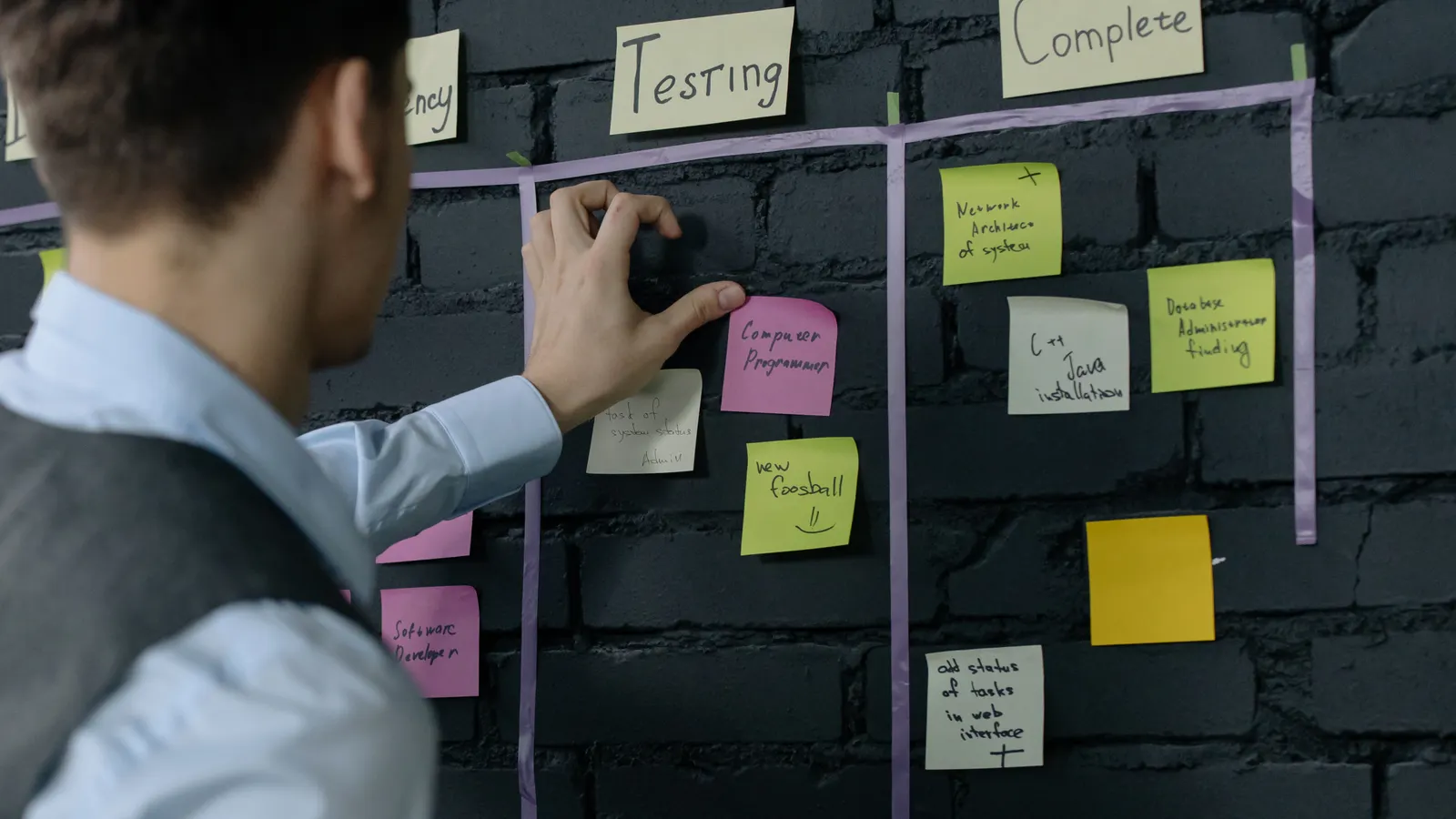
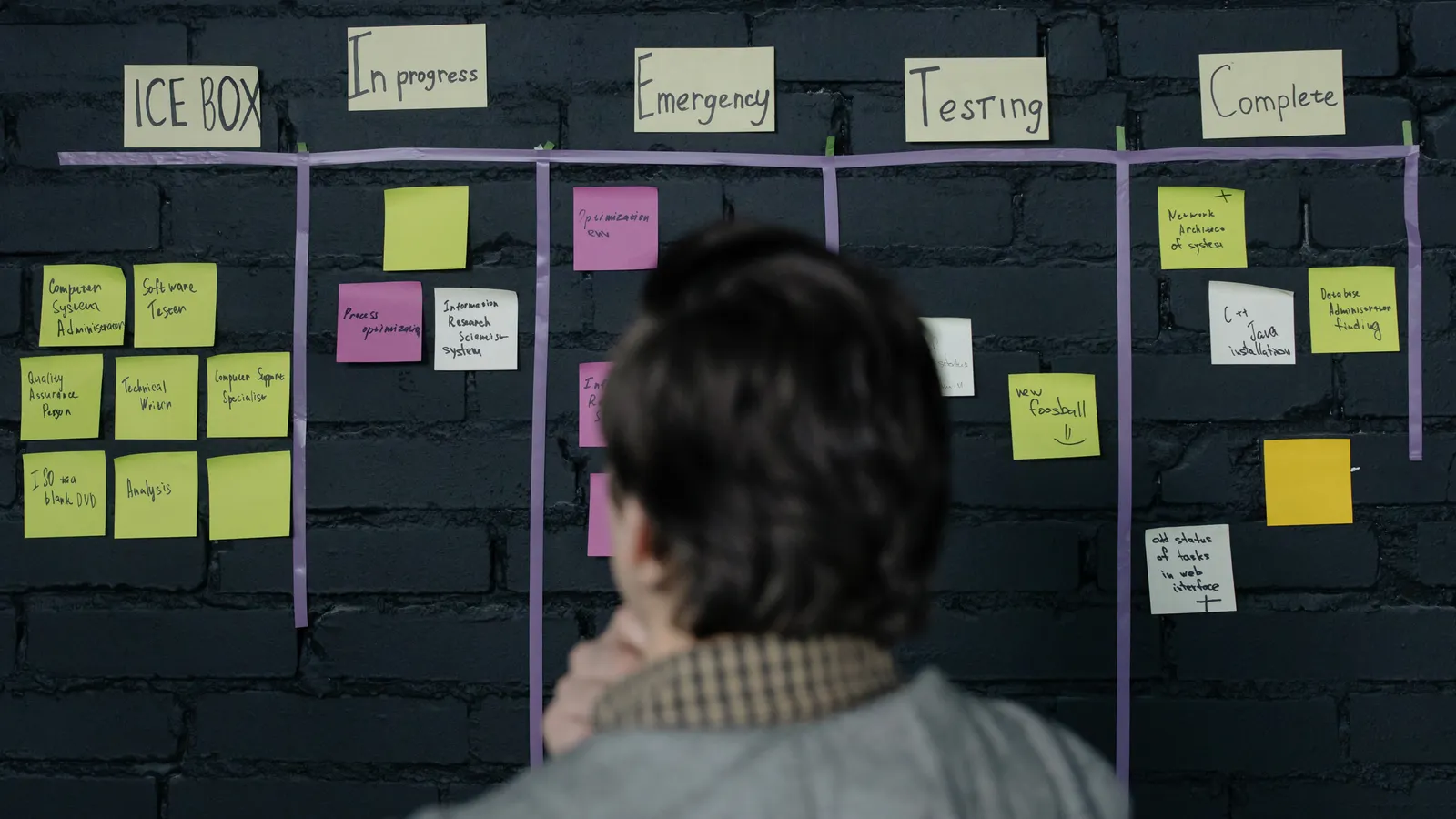
Kanban is what we ended up using for content, and I love it. Everything sits on a board. Cards move from “to do” to “writing” to “editing” to “live”, and you limit how many can sit in each column. That limit is the clever bit. When “editing” is full, nobody starts a new draft. They help clear the jam first.

Lots of companies mix and match. Waterfall-ish planning for budgets, agile sprints for delivery. A purist would wince. It works.
Which Project Management Tools and Techniques Actually Help?
The ones that make the plan visible. If a problem can be seen early, it can usually be fixed cheaply. That is the whole game.
A Gantt chart is a timeline of bars, one per task, with arrows between the ones that depend on each other. I find it the fastest way to spot a clash. Kanban boards are friendlier and better for day to day work, and a new writer gets one in about half a minute.
Critical path analysis shows which chain of tasks really controls your deadline. A RACI matrix sounds painfully corporate, but it is just a grid saying who is Responsible, Accountable, Consulted and Informed for each task. It kills “oh, I thought you were doing that” dead.
Then there is the risk register, a running note of what might go wrong, and the retrospective, a quick chat after each phase about what to keep doing and what to stop. We skipped retros for months because everyone was tired. Same problems every month. Funny that.
None of this needs expensive software. A Gantt chart works in a spreadsheet. A Kanban board works on a wall with sticky notes. The software just makes it easier to share, and harder to ignore.
What Should a Project Management Tool Do?
Give everyone one place to plan, assign, track and talk about the work. If people still ask in chat whether something is done, the tool is not working, however nice it looks.

The key features I check first are dull ones. Can every task have an owner, a date and a priority? Can I see the same work as a list, a board, a timeline and a calendar? Our editor lives in the calendar view. I live on the board. Neither of us is going to switch.
Task dependencies come next, and they matter more than any demo will tell you. If one task slips, the tool should push the rest along by itself. Then real time collaboration: comments, files and changes showing up for everyone the moment they happen, right on the task. Without proper real time collaboration, decisions slide back into email and vanish.
After that I look at time tracking, project tracking dashboards that report progress without anyone typing a weekly update, resource management views that show who is buried and who has room, and connections to email, chat, storage and our CRM. Those are the key features for me. The rest is mostly nice to have.
You will keep hearing the same names: Asana, monday.com, Trello, Jira, ClickUp, Wrike, Smartsheet, Microsoft Project. We tried three of them. They overlap a lot more than their marketing suggests. Jira is built around software teams, Trello is lovely for simple boards, and Microsoft Project is for people who enjoy very detailed schedules.
The market is enormous, which is why their ads are everywhere. Fortune Business Insights values project management software at about USD 11.91 billion in 2025 and expects it to go past USD 45 billion by 2034. A lot of teams are clearly done with spreadsheets.
Which Project Management Scheduling Tools Work Best?
The best project management scheduling tools handle dependencies properly and show you the knock-on effect of a delay straight away. Without that, a schedule is basically a list of wishful dates.
For big, deadline-heavy work with lots of moving parts, tools with strong Gantt features, like Microsoft Project, Smartsheet or Wrike, tend to suit. If you run sprints, Jira and ClickUp are comfortable with backlogs. For a small team that just wants to see this week, Asana or monday.com timelines are plenty. We made the classic mistake of picking something far too heavy first, fought with it for a month, and quietly went back to a simpler tool.
One rule beats any feature list. People have to actually update the thing. If moving a task to “done” takes more than a few seconds, nobody bothers, and within two weeks the plan and real life are strangers.
How Do Resource Management and Resource Allocation Work?
In project management, resource management is making sure the people, hours and money are there when the project needs them. Resource allocation is the daily version of that: who works on what, and for how long.
The mistake I made for ages was planning as if every writer had forty free hours a week. They do not. There are calls, other clients, edits from last week, a sick kid. Five or six real hours a day is more like it.
Most tools now have a workload view with a bar for each person. When one bar is red and the next one is half empty, you have found your fix. Moving one article from the overloaded writer to the one with space is nearly always better than pushing the whole deadline. That kind of small, early resource allocation is honestly where most of the value is.
Money and equipment count too. If you need a freelancer, a paid tool or new images, put it in the plan with a date, not in your head.
How Do Cross Functional Project Teams Stay on the Same Page?
By sharing one plan, one place for updates and one regular check-in. Sounds simple. It is also where most projects start to wobble.
Cross functional project teams pull people from different departments, so design, development, marketing, sales and finance might all end up in one project, which is where project management gets genuinely tricky. Each group has its own tools and its own language. Your developer may never have heard of an “editorial calendar”. Your marketing lead may think “sprint” is something you do for a bus.
What helped us most was a handful of small habits. Write down the goal and what “done” means on day one, and make everyone agree. Keep the whole project in one project management tool, even if a team keeps its own tool for internal stuff. Put one person’s name on every task, because “marketing” is not an owner but Sara from marketing is. Keep the weekly check-in short and only about blockers. And use real time collaboration so the reason for a decision sits right next to the task.
In cross functional work, the project manager ends up as half planner, half translator. Most of the job is making sure each group knows what the others need from them, and by when.
Why Bother With Time Tracking and Project Tracking?
Time tracking shows how long work really takes. Project tracking shows whether the whole thing is still on course. Together they turn your next plan from a guess into something based on evidence.
I know a lot of people hate time tracking. It can feel like being watched. We pitched it differently: it is there to protect you. When an article everyone said would take four hours took eleven, the timesheet proved it, and the next brief got a fairer estimate. After that, the writers were the ones asking to keep it.
Project tracking works one level up. This is the part of project management that tells you the truth. You compare where you planned to be with where you are, through milestones, a burn-down chart or just a percentage. If you are halfway through the timeline and only a third through the work, you know now, not on launch day.
For agencies, logged hours also go straight into invoices, and comparing budgeted hours with real ones shows very quickly which kind of work actually makes money. That one was an eye-opener for us.
What Mistakes Do Most Teams Make?
The usual project management mistakes are rushing the planning, ignoring dependencies, and giving all the work to the same two reliable people until they burn out. If a project has gone wrong, I would bet on at least one of those.
A few others come up again and again. Scope creep, one “small extra” at a time, with no change to the deadline. Two people sharing a task, which means neither does it. A plan written once and never opened again. Buying a tool before agreeing how you want to work. And skipping the retrospective because everyone is exhausted, so the same problems turn up next month.
You do not need a certificate to fix any of these. You need a bit of discipline and one person willing to say “not yet” when new requests land halfway through.
How Do You Choose the Right Project Management Tool?
Start with how your team works. Not with the feature list.
Write down how a job travels from “someone asked for this” to “done”. Pick your two or three must-haves, maybe task dependencies, time tracking or a client login. Shortlist three tools, not ten. Run a real project in each for two weeks, with the people who will use it every day, and pay attention to how each one handles resource allocation, because that is where the weaker ones fall apart. Then check the price of the plan you will need in a year, not the cheapest one on the page.
If you already use a CRM or a bunch of other SaaS apps, check how well each option connects to them. Anything copied between systems by hand goes out of date fast. Every single time.
Frequently Asked Questions About Project Management
What are the 5 phases of project management?
Initiation, planning, execution, monitoring and control, and closure. Real projects bounce between execution and monitoring a lot before they close.
What is the difference between a project manager and a product manager?
A project manager gets a specific piece of work delivered on time and on budget. A product manager decides what the product should be and why, over its whole life.
Is agile better than waterfall?
Not always. Agile suits work where requirements keep changing. Waterfall suits fixed, well-understood work like construction.
Do small teams need a project management tool?
Not straight away. A shared sheet can carry three or four people for a while. Once projects overlap or deadlines start slipping, a proper tool pays for itself fast.
Which project management certifications are worth having?
The PMP from the Project Management Institute is the best known. PRINCE2 is popular in the UK and Europe, and Scrum certifications are common on agile teams.
So, Where Should You Start?
Our calendar sheet is gone now. We use a simple board; every article has one owner and one date, and I have not had a polite reader email about “add stat here” since. That is not magic. It is just project management done in a fairly basic way, consistently.
If I had to boil it down: plan before you start, draw your task dependencies, watch who is overloaded, and update the plan when things change. Then, and only then, pick the project management tool that fits how your team already works.