Search Visibility: How Visible Is Your Website, Really?

Picture this. You check your rankings and see that your page sits at position four for a keyword you care about. That sounds like good news, yet when you open your analytics, the traffic is disappointingly low. Or maybe your rankings have not moved at all for months, but your clicks have slowly started to fall. You did nothing wrong, so what changed?
This is where most website owners get stuck. They keep asking, “Am I ranking?” when the better question is, “How much are people actually seeing me?” A single ranking only tells you where one page stands for one keyword. Search visibility shows you the bigger picture, meaning how often your website really appears in front of searchers across all the terms that matter to you.
In this guide, you will learn how search engine visibility is measured, how to track it, and how to grow your search visibility in 2026. If you are still learning the basics, start with our search engine guide.
Table of Contents
ToggleBeing Indexed Is Not the Same as Being Seen
Many website owners feel relieved once Google indexes their pages. It feels like the hard part is done. In reality, indexing only means your page has been saved in the search engine’s database. It does not mean anyone will ever find it or that it will gain any real search visibility. Google itself explains in its guide to how Google Search works that it does not promise to crawl, index, or show any page in results, even when the page follows its Search Essentials guidelines. google
Think of it like a shop in a large shopping mall. Being indexed means your shop has a space somewhere in the building. Being seen means your shop sits near the main entrance, where people actually walk past it every day.
Here is a simple example. Imagine your article ranks at position three for “best running shoes for beginners.” Searchers see it the moment the results load, and many of them click. Now imagine the same article slips to position fourteen on page two. The content has not changed at all, yet it has become almost invisible, because very few people ever scroll that far.
This is why web search engine positioning matters so much for search visibility. Your page can be indexed, well written, and useful, but without strong web search engine positioning, very few people will ever read it. Real search visibility begins when your pages show up where people are actually looking.
How a Search Visibility Score Is Worked Out
Most tools show your search visibility as a single percentage sitting at the top of a dashboard. It is easy to glance at it, feel good or bad, and move on. But understanding how your search visibility score comes from a fairly basic sum will help you read your reports differently.
The Simple Math Behind the Score
Three things go into it. First, the position you hold for each keyword. Second, how many people type that keyword into Google in a month. Third, how often people click on a result sitting in that position. SEO people call that last one the click-through rate, or CTR.
Here is a rough version with three keywords. We have used round CTR numbers to keep it easy, because every tool uses slightly different ones.
|
Keyword |
Monthly Searches |
Your Position |
Expected CTR |
Expected Clicks |
|
Keyword A |
2,000 |
1 |
30% |
600 |
|
Keyword B |
1,000 |
5 |
6% |
60 |
|
Keyword C |
500 |
12 |
1% |
5 |
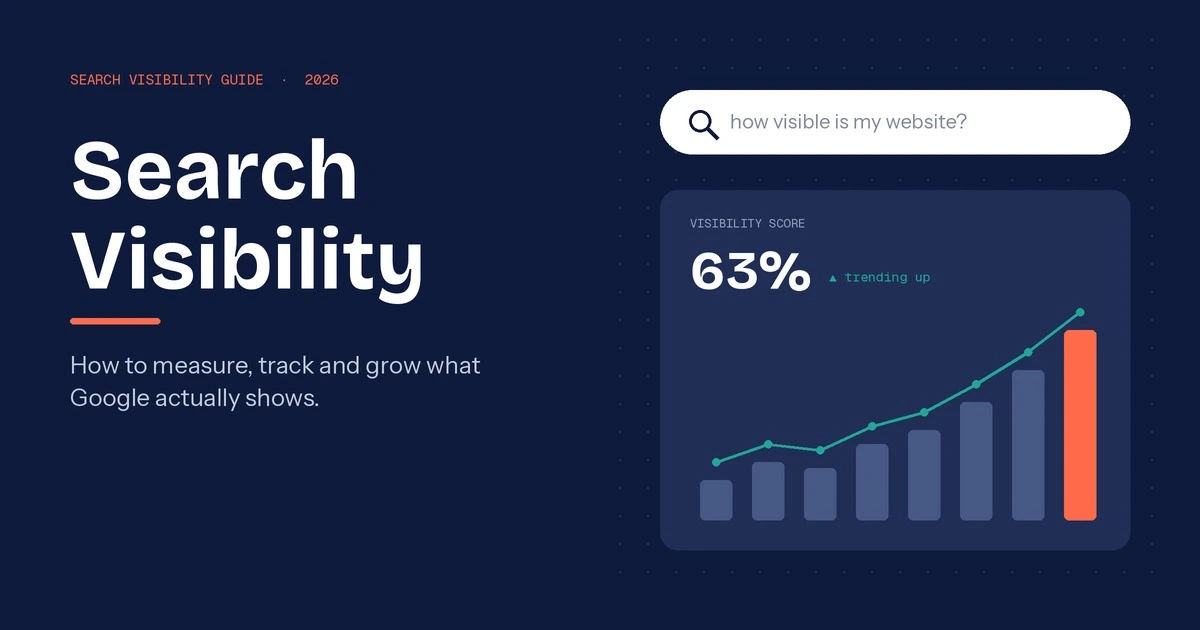
Add up the last column, and you get 665 expected clicks. Now imagine you were number one for all three. That would bring in around 1,050 clicks. So 665 out of 1,050 gives you a visibility score of about 63%.
Look at where those clicks came from, though. Nearly all of them came from Keyword A. One strong ranking on a keyword people actually search for did more for your search engine visibility than the other two put together. That tells you a lot about how web search engine positioning really pays off.
What “8% Visibility” Really Means.
People misread this one all the time. If your tool says 8%, it is not telling you 8% of your traffic, and it has nothing to do with your Google Analytics numbers. It is an estimate of how many of the possible clicks, across only the keywords you are tracking, are landing on your site. So roughly 92 out of every 100 of those clicks are going somewhere else.
For reference, Semrush explains in its Position Tracking guide that 100% would mean you rank first for every single keyword in your campaign. Hardly anyone gets close to that. A small site sitting in single digits is not failing. It simply has room to grow its overall search visibility.
Why Two Tools Never Show the Same Number
If you have ever checked your site in Semrush, then in Ahrefs, and got two completely different numbers, you are not alone. Neither tool is broken. They track different keyword lists, and each one has its own idea of how many clicks position three or position seven usually gets. Start from different input,s and you end up with different answers.
So what should you do about it? Pick one tool and stay with it. Watch whether your search visibility goes up or down over a few months, and do not worry too much about the exact figure. Jumping between tools to compare search visibility metrics will only confuse you, a bit like weighing yourself on three different scales in one morning. Tracking your core search visibility trend inside one consistent tool is what really matters. Your search visibility trend inside one tool is the number that really matters.
The Hidden Side of Visibility: SERP Features and Zero-Click Searches
Search for almost anything today and count how many plain blue links you see before you have to scroll. On a lot of searches, the answer is not many. The page is crowded with other things now. There is a boxed answer at the top, a “People Also Ask” section that opens up when you tap it, a map with three local businesses, a row of images, a couple of YouTube videos, and more and more often, an AI Overview.
These are called SERP features, and every one of them is a place where your website can show up. If a normal ranking is one seat in the room, SERP features are extra seats that many site owners never even try to sit in. Featured snippets are a good example. Google says in its guide to featured snippets and your website that you cannot mark a page as a featured snippet yourself. Google’s systems decide which page deserves that spot. What you can do is write clear, direct answers that give Google a reason to pick you.
Then there is the awkward part. Sometimes you win that snippet, and the searcher reads your answer and leaves without clicking. This is a zero-click search. It can feel like a loss, but it is not wasted. Your brand name sat at the top of the page, in front of someone who needed exactly what you offer. That kind of search engine visibility builds recognition, so the next time that person sees your name, they are far more likely to click. Good tracking tools now count these appearances as part of your search engine visibility, and you should too.
What to Look for in a Search Engine Visibility Tool
There are dozens of rank trackers out there, and most of their sales pages promise the same things. Before you pay for any search engine visibility tool, it helps to know which features you will actually use and which ones are just nice to look at. Here is what we would check first.
- Tracking across locations and devices. Your overall search visibility in London can look very different from your search visibility in Manchester, and mobile results often differ from desktop. A good tool lets you track both without paying extra for every city.
- Competitor share of voice. Share of voice shows how much of the available visibility you hold compared to your main competitors. It answers the question your boss will ask anyway: “Are we ahead of them or not?”
- SERP feature tracking. You want to know when you win or lose a featured snippet, a spot in the map pack, or a “People Also Ask” box, not just your plain ranking.
- Brand mentions in AI answers. This matters a lot in 2026. Google explains in its guide to AI features and your website that AI Overviews and AI Mode can use different models, so the links they show will vary. A modern search engine visibility tool should show you where your brand appears in both.
- History and alerts. Months of stored data let you spot patterns. Alerts tell you about a sudden drop before a client does.
- Clean, simple reports. If you report to clients or management, you need charts that a non-SEO person can understand in under a minute.
No single search engine visibility tool is perfect at all six, so decide which two or three matter most to you and choose the search engine visibility tool that handles those best.
Search Engine Visibility Tools Worth Your Time
You do not need every tool on this list. Most websites do perfectly well with one free tool and one paid tool. Here is an honest look at the main options, including where each one falls short.
Google Search Console
Start here, because it is free and the data comes straight from Google. You can see how many impressions each page gets, your average position, and which search terms bring people in. No other search engine visibility tool gives you real numbers like these; everything else is an estimate. The downside is that you only see performance data for your own site, so there is no way to check competitor search visibility or compare market share.
Semrush and Ahrefs
These two are the heavyweights. Both are excellent for comparing your visibility with competitors and seeing who owns the most ground in your market. Each now has its own AI tracking as well. Reviewers generally find that Semrush’s AI Visibility Toolkit fits more easily into an existing SEO workflow at a lower starting cost, while Ahrefs Brand Radar is stronger for large-scale research and citation analysis. The catch is price. Neither is cheap, and the AI features cost extra on top of the main plan.
SE Ranking and Moz
If the big two are out of budget, look here. SE Ranking offers a free trial with no credit card needed and covers keyword research, backlinks, and AI search visibility tracking. Moz has added AI visibility tracking this year, and a free Moz Community account gives you limited access to Keyword Explorer and Link Explorer without paying anything. Their keyword databases are smaller, so niche terms sometimes show thin data.
AI Visibility Trackers
This is the newest group. Tools such as Profound focus only on how ChatGPT, Perplexity, Gemini, and Google’s AI Overviews talk about your brand. Ahrefs keeps an updated list of the best AI visibility tools if you want to compare them. They are useful, but the category is young, so expect prices and features to keep changing.
|
Tool |
Best For |
Free Plan |
Tracks AI Visibility |
|
Google Search Console |
Real Google data for your own site |
Yes, fully free |
No separate AI report |
|
Semrush |
All-round competitor tracking |
Free trial only |
Yes, paid add-on |
|
Ahrefs |
Deep competitor and AI research |
Limited free tools |
Yes, paid add-on (Brand Radar) |
|
SE Ranking |
Agencies and small teams on a budget |
Free trial |
Yes |
|
Moz Pro |
Beginners and small businesses |
Limited free account |
Yes |
|
AI visibility trackers |
Brand presence in AI answers |
Some offer free plans |
Yes, main focus |
Whichever search engine visibility tool you pick, give it at least three months before judging it. The right search engine visibility tool is the one you will actually open every week, and consistent tracking will teach you more about your search visibility than any single report ever will. Pair a paid search engine visibility tool with Search Console, and you will have a full picture.
How to Read Your Visibility Report Without Overthinking It
A visibility chart can make you panic over nothing, or relax when you should not. Most of the time, the pattern tells you exactly where to look. Here are the three situations you will run into most often.
Your visibility went up, but traffic stayed flat. This one confuses a lot of people. Usually, it means you have climbed for keywords where people rarely click, often because an AI Overview or a featured snippet already answers the question at the top. Your search visibility is genuinely better, but those new positions are not the kind that send visitors. Look at which keywords moved, and focus your effort on the ones where searchers still click through.
Your visibility dropped suddenly. Do not start rewriting pages straight away. First, check the Google Search Status Dashboard to see if a core update rolled out that week. Then check whether you lost a SERP feature, such as a snippet or a map pack spot. Finally, look at who took your place. Often, a single competitor page has overtaken you on a few high-volume keywords, and that alone can pull your search engine visibility down sharply.
A competitor’s share of voice keeps rising. Open their site and look at what they have published in the last two or three months. New guides, refreshed old posts, or a cluster of pages on one topic usually explain it. Their web search engine positioning did not improve by accident, and you can learn a lot from what they changed.
As for how often to check, once a week is enough for a quick glance, and once a month is the right time for proper analysis. Daily checking mostly shows normal ups and downs that mean nothing. Search engine visibility moves slowly, so judge it over weeks, not days. A calm monthly review will tell you more about your search visibility and your overall search engine visibility than refreshing the dashboard every morning.
Ways to Widen Your Search Visibility Footprint
Basic SEO gets your pages ranking. The ideas below help you show up in more places, for more searches, more often. That is what really grows search visibility once the foundations are in place.
- Go after SERP features on purpose. Answer common questions in a short, clear paragraph of 40 to 50 words directly under a question-style heading. That format gives Google an easy snippet to pull. For structured data, focus on types that still produce rich results, such as Product, Review, Recipe, Event, and Article. FAQ and HowTo markup no longer help most sites, as Google explained when it changed FAQ and HowTo rich results.
- Build topic clusters. One main guide supported by several related articles, all linked together, expands your search visibility across dozens of connected search queries instead of just one. Each new page adds to your overall search visibility rather than standing alone.
- Fix keyword cannibalization. When two of your pages target the same keyword, Google often swaps between them, which hurts your overall search visibility for that query. Most search engine visibility tools will show you which keywords have more than one ranking URL. Merge those pages or give each one a clear, separate focus.
- Rewrite titles and meta descriptions. A page stuck at position five can still improve its search visibility and earn more clicks with a clearer, more specific title. Test new wording on pages with high impressions but low clicks in Search Console.
- Claim the local map pack. If you serve customers in a particular area, a complete and active Google Business Profile… can massively boost your local search visibility in map results above normal listings.
- Show up beyond Google. Bing, YouTube, and AI assistants like ChatGPT and Perplexity all send people to websites now. Strong web search engine positioning on Google is still important, but relying on one platform leaves your search visibility exposed every time Google changes something. Spreading your presence across several platforms protects your search visibility over the long term.
Search Visibility Beyond Google: The AI Answer Era
Try typing “how long should I boil an egg for a runny yolk” into Google. Before you even reach the first website, there is usually a neat AI summary sitting at the top with the answer. Most people read it and close the tab. The same thing happens in ChatGPT and Perplexity every day, and a lot of people now skip Google altogether and ask those tools first.So being on page one is no longer the whole story.
Your total search visibility now also depends on whether AI platforms mention your brand, use your numbers, or link to you as a source. People in the industry have started calling this AI search visibility, and for many websites it matters just as much as regular search engine visibility.
What makes an AI tool mention one brand and ignore another? Ahrefs tried to answer that in a study of AI Overview brand visibility that looked at 75,000 brands. Backlinks and domain strength were not the biggest factor. The strongest connection was with branded web mentions, which simply means how often your brand name comes up around the web. Put plainly, AI tools lean towards brands that other people are already talking about.
This is why a customer review, a quote in an industry article, a guest spot on a podcast, or a helpful Reddit reply now does real work for your search engine visibility. Every genuine mention on a site people trust adds up, and over time it lifts your search visibility in the normal results and inside AI answers too.
Frequently Asked Questions
What is a good search visibility score for a small website?
Honestly, it depends on the keywords you pick. Say you run a small bakery in Leeds. If you track “birthday cakes Leeds” and a handful of similar local terms, you could reach a healthy score fairly quickly. Add “chocolate cake recipe” to the list, and suddenly you are up against the BBC and every food blog on the planet, so your number drops. That is why small sites often sit in single digits without anything being wrong. The best benchmark for a small site is whether your search visibility shows a steady upward trend over time.
Can I check search engine visibility for free?
You can get quite far without spending anything. Google Search Console is free, and the impressions, clicks and positions in it come directly from Google, so it is the most accurate place to check your search engine visibility. It just will not turn all of that into one percentage, and it tells you nothing about your competitors. A paid search engine visibility tool fills that gap, and most of them let you try a free trial first.
How often should I track search visibility?
Weekly for a glance, monthly for a proper look. If you open the dashboard every morning, you will mostly see numbers wobbling for no real reason, and that gets stressful fast. Search engine visibility changes slowly. Comparing one month against the last is usually enough to tell whether your search visibility is heading the right way.
Does a search engine visibility tool track AI results too?
Some do, and the list keeps growing. Semrush, Ahrefs, SE Ranking and Moz have each added AI tracking, mostly for Google AI Overviews, ChatGPT and Perplexity. The coverage is not the same everywhere, though. One search engine visibility tool might watch four AI platforms while another only watches two. Think about where your own customers go to ask questions, and pick the tool that follows them there. That is where your search visibility and search engine visibility actually get tested.

2 thoughts on “Search Visibility: How Visible Is Your Website, Really?”